Eye Strain
Up to half of screen users
report digital eye strain
 Source: PMC / NCBI
The iPhone feature, now free on Android.
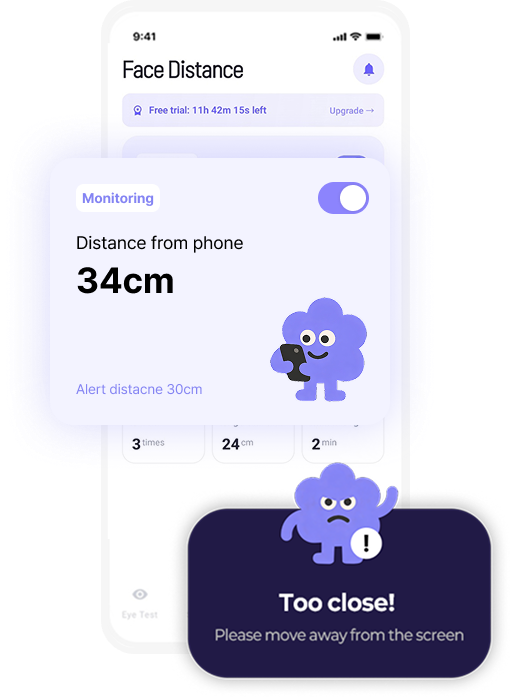
Get a gentle alert when your phone is closer than 30 cm.
Just turn it on and forget it.

13–20 inches (33–50 cm) — about arm's length.
That's the distance the American Academy of Ophthalmology recommends for smartphones. Any closer and your eyes work harder to focus, which adds up to eye strain. For kids, research links long periods of viewing closer than 20 cm with faster myopia progression.
Source: American Academy of Ophthalmology (AAO)Up to half of screen users
report digital eye strain
Source: PMC / NCBI
Unknowingly hunching forward
as you get pulled into the screen
Kids hold devices at 24 cm on average —
far closer than adults should
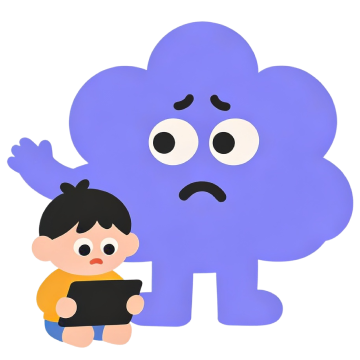 Source: Myopia Profile
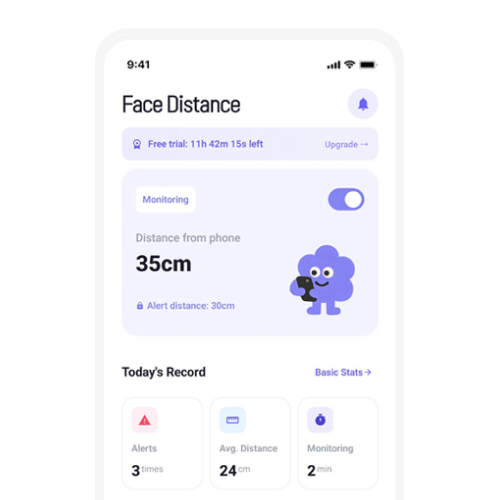
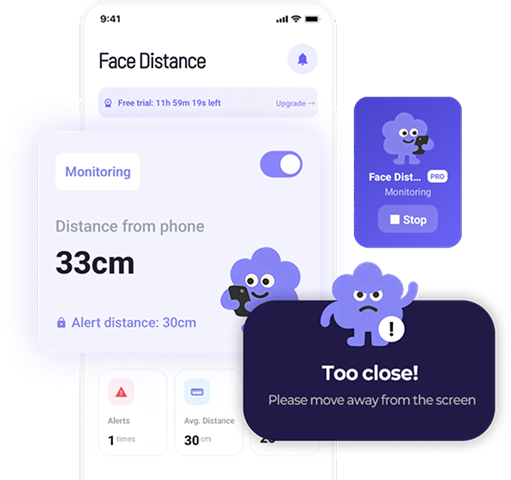
Turn it on, and it looks out for you
Keeps watching in the background while you use YouTube, games or any other app.
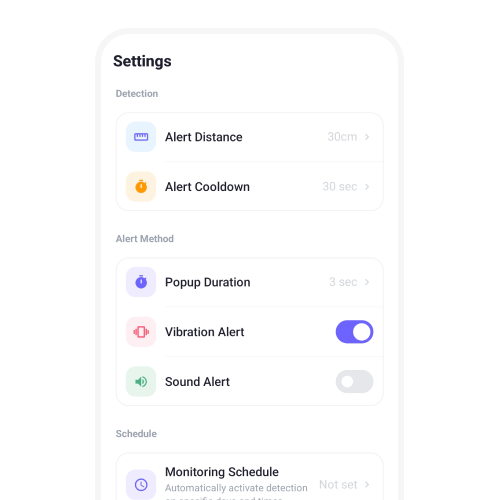
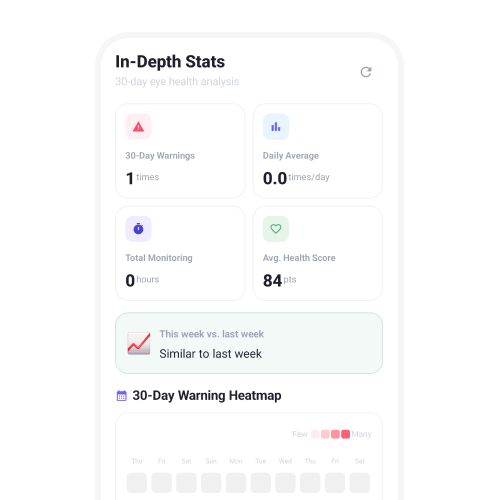
Eye care that goes beyond alerts
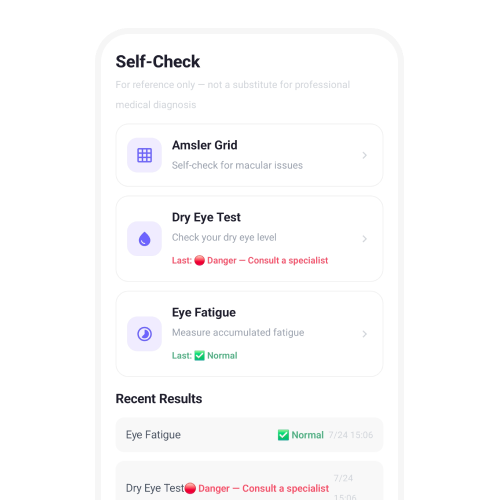
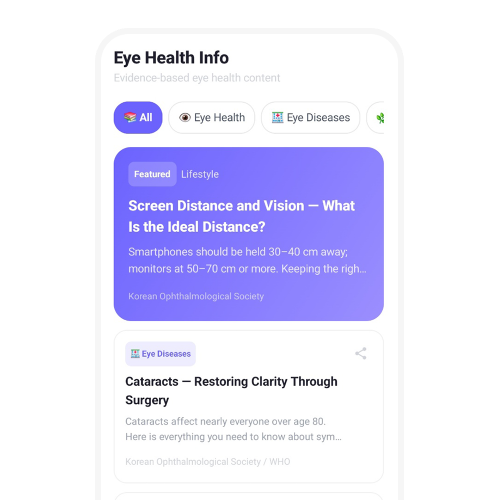
Amsler grid, dry eye and eye fatigue checks. For reference only — not a medical diagnosis.
 For Kids

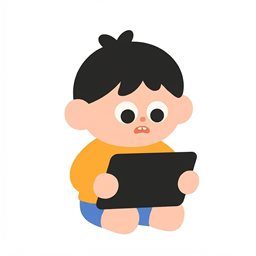
Maintain the right viewing distance playfully,
guided by fun character alerts — like a game.
 For Parents
Stop arguing with your child about screen time.
The app builds healthy habits on its own.
 For Office Workers
For eyes glued to monitors all day —
experience noticeably less fatigue on your way home.
 For Students
Focus on what matters most — your studies.
Screen Distance keeps your eyes healthy so you don't have to.
Have another question? Email us at mini3486@gmail.com.
Android doesn't have a built-in equivalent of Apple's Screen Distance. Screen Distance Monitor & Alert adds it: it uses your front camera to estimate how far your face is from the screen and alerts you when your phone is closer than 30 cm (12 in).
The American Academy of Ophthalmology recommends 13–20 inches (33–50 cm) — about arm's length.
Research links long periods of viewing closer than 20 cm with faster myopia progression. Kids tend to hold devices at about 24 cm on average — much closer than adults.
Yes. It runs in the background and shows an alert over YouTube, games, browsers and other apps when you get too close.
Yes. Core features like the 30 cm alert and real-time distance tracking are free. Fine-tuning such as a custom detection distance (15–50 cm) and alert intervals is available with PRO.
No. Camera frames are processed on your device only to calculate distance, discarded right away, and never stored or sent to a server.
What Apple's Screen Distance feature does, how to get the same too-close alert on Android, and how far you should actually hold your phone.
The recommended phone viewing distance is 13–20 inches (33–50 cm). Here's why holding it closer strains your eyes, why kids need extra care, and easy ways to keep your distance.
How close-up screen habits relate to nearsightedness in kids — and what parents can do about it.
Why your eyes feel dry and blurry after long screen sessions, the main symptoms of digital eye strain, and simple fixes you can start today.
Four Android apps that alert you when your phone is too close to your face, compared by alert style, distance settings and kid-friendly features.
How the load on your neck grows as you tilt your head down, and simple phone posture habits that help prevent tech neck.
Recommended screen time by age, the right viewing distance for kids, and why outdoor time matters — a practical guide for parents.
Every 20 minutes, look 20 feet away for 20 seconds. Here's what research says about the 20-20-20 rule and how to actually benefit from it.
Safe phone viewing distance, iPhone's Screen Distance, digital eye strain, kids' myopia and tech neck — the most common screen distance questions in one place.
Holding your phone farther and farther away in your 40s? It may be presbyopia. Why it happens and how to read your phone comfortably.
Why your eyes feel dry and gritty after screen time, the symptoms and causes of dry eye, and simple things you can do at home.
Does scrolling in the dark hurt your eyes? Is blue light harmful, and do blue light glasses help? When dark mode and night mode are actually useful.
Kids often don't say when they can't see well. Here are the signs of nearsightedness (myopia) parents can spot.
From newborns to school-age kids: when children's eyes should be screened, what's checked at each age, and when to go sooner.
“Move back from the screen!” Practical ways to help kids keep a healthy viewing distance without a daily battle.
What scrolling in bed does to your eyes, neck and sleep — and how to do it more comfortably.
Font size, display size, dark theme, night mode, Extra dim and more — Android settings that make your screen easier on your eyes.
How far away and how high should your monitor be? Screen positions that are easy on your eyes and neck, with the numbers to aim for.
Try Screen Distance Monitor & Alert right now.
Daily water drinking reminder


Kids habit challenge app

Discover your true personality with 30 questions