iPhone Has Screen Distance. Does Android? (Yes, Free)
Android has no built-in version of Apple's Screen Distance, which arrived in iOS 17. You can get the same protection with a free app: Screen Distance Monitor & Alert uses your front camera to estimate how far your face is and alerts you when your phone is closer than 30 cm (12 in). The recommended distance is 13–20 in (33–50 cm).
What is Screen Distance on iPhone?
Screen Distance is a Screen Time feature added in iOS 17 and iPadOS 17. It uses the TrueDepth camera (the one behind Face ID) to measure how far your face is from the device. If you hold your iPhone or iPad closer than 12 inches (about 30 cm) for an extended period, it covers the screen and asks you to move it back.
Once you move the device far enough away, the prompt disappears and you can pick up where you left off. You'll find it under Settings → Screen Time → Screen Distance, and it only works on devices with Face ID.
Does Android have Screen Distance?
Not as a built-in feature. Stock Android doesn't include one, and while some manufacturers have shipped their own tools, most Android phones have nothing similar. To get a too-close alert on Android, you need an app.
How to get Screen Distance on Android
- Install Screen Distance Monitor & Alert from Google Play.
- On first launch, allow camera access and “Display over other apps.”
- Turn detection on. It keeps measuring in the background while you use YouTube, games or any other app.
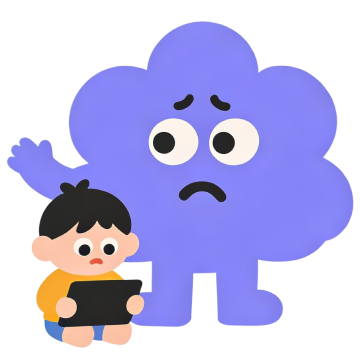
- When your phone gets closer than 30 cm (12 in), a friendly character pops up: “Too close!”
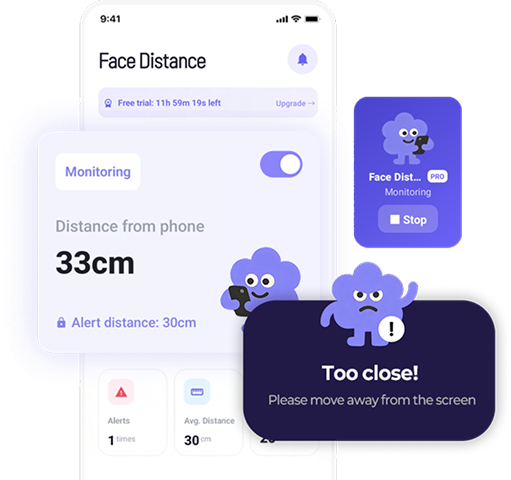
How is it different from Apple's Screen Distance?
| Apple Screen Distance | Screen Distance for Android | |
|---|---|---|
| Devices | iOS 17+, Face ID devices | Android phones |
| Alert distance | About 12 in (30 cm) | 30 cm / 12 in (15–50 cm with PRO) |
| How it alerts | Covers the screen | Character alert over any app, plus vibration or sound |
| Price | Built in | Core features free |
| Extras | Part of Screen Time | Self-checks, usage reports, eye health tips |
How far should you hold your phone?
The American Academy of Ophthalmology (AAO) recommends holding a smartphone 13–20 inches (33–50 cm) from your eyes — about arm's length. Think of the 12-inch (30 cm) alert as the “too close” line, not the goal.
We cover the details in How Far Should You Hold Your Phone From Your Eyes?
FAQ
Is there a Screen Distance feature on Android?
Not built in. An app like Screen Distance Monitor & Alert uses your front camera to measure the distance and alerts you when your phone gets too close.
Does a screen distance app store my camera images?
Screen Distance Monitor & Alert processes camera frames on your device only to calculate distance and discards them immediately. Nothing is stored or uploaded.
Sources
This article is general health information, not a diagnosis or treatment. If eye discomfort persists, see an eye doctor.