6 Android Settings That Make Your Eyes Happier
On Android you can scale font size up to 200%, enlarge display size, turn on dark theme and night mode (Night Light on Pixel, Eye comfort shield on Samsung), and use Extra dim to go below minimum brightness at night. Menu names vary by manufacturer, so the fastest way is to search for the feature name in the Settings app.
Before you start
Menu names and locations differ a bit by manufacturer (Samsung, Google Pixel and others) and Android version. The quickest way to find each setting is the search bar at the top of the Settings app.
1. Increase font size
Small text pulls your face toward the screen. Search Settings for “Font size” and move the slider — you can go up to 200%. You can also try bold text or high-contrast text.
2. Increase display size
This enlarges icons and buttons, not just text. Search Settings for “Display size” and move the slider. The name may differ slightly by manufacturer.
3. Dark theme
Switches backgrounds to dark to cut glare in dim rooms. Turn it on under Settings → Accessibility → Color and motion → Dark theme, or in Display settings. It applies to the system and supported apps; video colors don't change.
4. Night mode
Shifts the screen to a warmer, yellow tone to reduce blue light at night. It's called Night Light on Google Pixel and Eye comfort shield on Samsung Galaxy. You can schedule it for sunset and adjust the intensity.
There's no evidence blue light damages your eyes, but it can affect how easily you fall asleep — so it's worth turning on in the evening. See Is Using Your Phone in the Dark Bad for Your Eyes?
5. Extra dim
Sometimes even minimum brightness is too bright in a dark room. Extra dim lets you go below your phone's usual minimum. Depending on your device, it's in Accessibility settings or built into the brightness slider in Quick Settings — and not every phone has it.
6. A screen distance alert
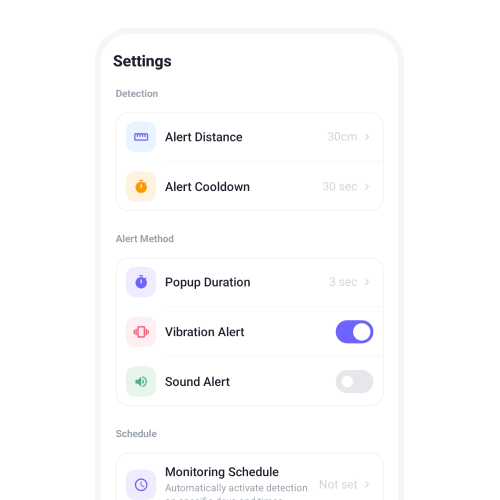
These settings make the screen more comfortable, but they don't stop you from holding it too close. Android has no built-in equivalent of iPhone's Screen Distance, so a distance alert app can let you know when you're closer than 30 cm (12 in).
FAQ
How big can I make text on Android?
In Settings → Font size, you can scale text up to 200%.
Where is Samsung's Eye comfort shield?
In Display settings. The fastest way is to search for “Eye comfort shield” in the Settings app.
Sources
This article is general health information, not a diagnosis or treatment. If eye discomfort persists, see an eye doctor.