Best Screen Distance Apps for Android in 2026 (Compared)
Android has no built-in Screen Distance feature, so you need an app. The main options are Screen Distance Monitor & Alert, TooClose, EyeGuard and iVisionGuard. All four use the front camera to measure distance, but they differ in how they alert you and what they offer for kids. For children, look for character alerts, screen blocking or a parent lock.
Full disclosure
This comparison is written by D-Pub, the maker of Screen Distance Monitor & Alert. For the other apps, we only included what their store listings and official websites say, and left out anything we couldn't confirm. Features and prices change, so double-check the store listing before you install. (As of September 2026.)
At a glance
| App | Distance setting | How it alerts | For kids |
|---|---|---|---|
| Screen Distance Monitor & Alert | 30 cm (15–50 cm with PRO) | Character alert over any app, vibration, sound | Friendly character alerts |
| TooClose | 10–40 cm | 3 stages: banner → countdown → screen block | Kids mode (instant block) |
| EyeGuard | Set your own safe distance | 7 alarm sounds, voice or silent | No dedicated kids mode listed |
| iVisionGuard | 20–80 cm (default 35 cm) | Vibration, sound, recorded voice, dimming, full-screen warning (paid) | Child & adult profiles, parent lock (paid) |
All four measure face distance with the front camera and keep running in the background while you use other apps.
Screen Distance Monitor & Alert
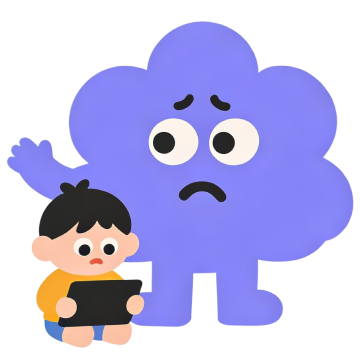
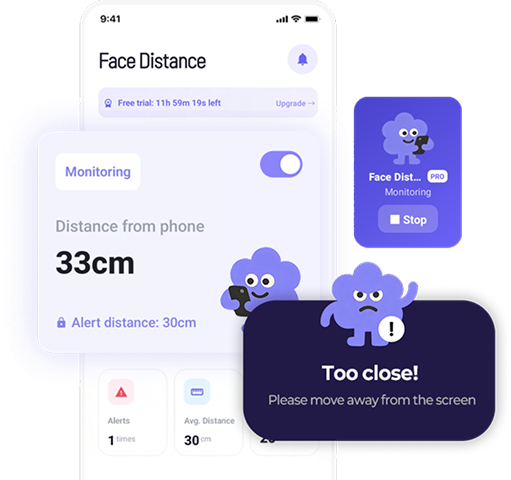
A friendly character pops up and says “Too close!”, which makes it easy for kids to accept. Core features (the 30 cm alert and real-time distance) are free; PRO lets you change the detection distance (15–50 cm) and alert intervals.
Beyond distance alerts, it includes self-checks (Amsler grid, dry eye, eye fatigue), usage reports and an eye health library. Camera frames are processed on-device and never stored or uploaded.
TooClose
Its three-stage warning (banner → countdown → screen block) is the standout. In Kids mode it skips the countdown and blocks the screen right away, so it's hard to ignore. You can set the distance anywhere from 10–40 cm, and it can pause automatically at night.
EyeGuard
Simple setup: pick a safe distance and tap Start. You can choose from seven alarm sounds, a voice alert or a silent notification. Its store listing doesn't describe a dedicated kids mode.
iVisionGuard
It offers the widest distance range (20–80 cm) and the most alert options. Parents can record their own voice reminder, keep separate child and adult profiles, and use a parent lock (paid) so kids can't turn it off. There's a free version and a paid Plus version.
Which one should you pick?
- So kids don't resent it: Screen Distance's character alerts.
- If your kid ignores alerts: TooClose Kids mode (instant block) or iVisionGuard's parent lock.
- Light use for adults: any app with simple settings will do.
- Eye care beyond alerts: Screen Distance, with self-checks and reports.
Samsung once released a similar app called Samsung Safety Screen, but whether you can still get it depends on your region and device.
FAQ
What are the best screen distance apps for Android?
The main options are Screen Distance Monitor & Alert, TooClose, EyeGuard and iVisionGuard. All use the front camera to measure face-to-screen distance and alert you when you're too close.
Which screen distance app is best for kids?
For kids who dislike being nagged, try character alerts (Screen Distance). For kids who ignore alerts, look for screen blocking (TooClose Kids mode) or a parent lock (iVisionGuard).
Sources
This article is general health information, not a diagnosis or treatment. If eye discomfort persists, see an eye doctor.